
Features
Everything a vault needs
One engine, two ways in. Here is what each side of the brain does.
01
Editor and reading
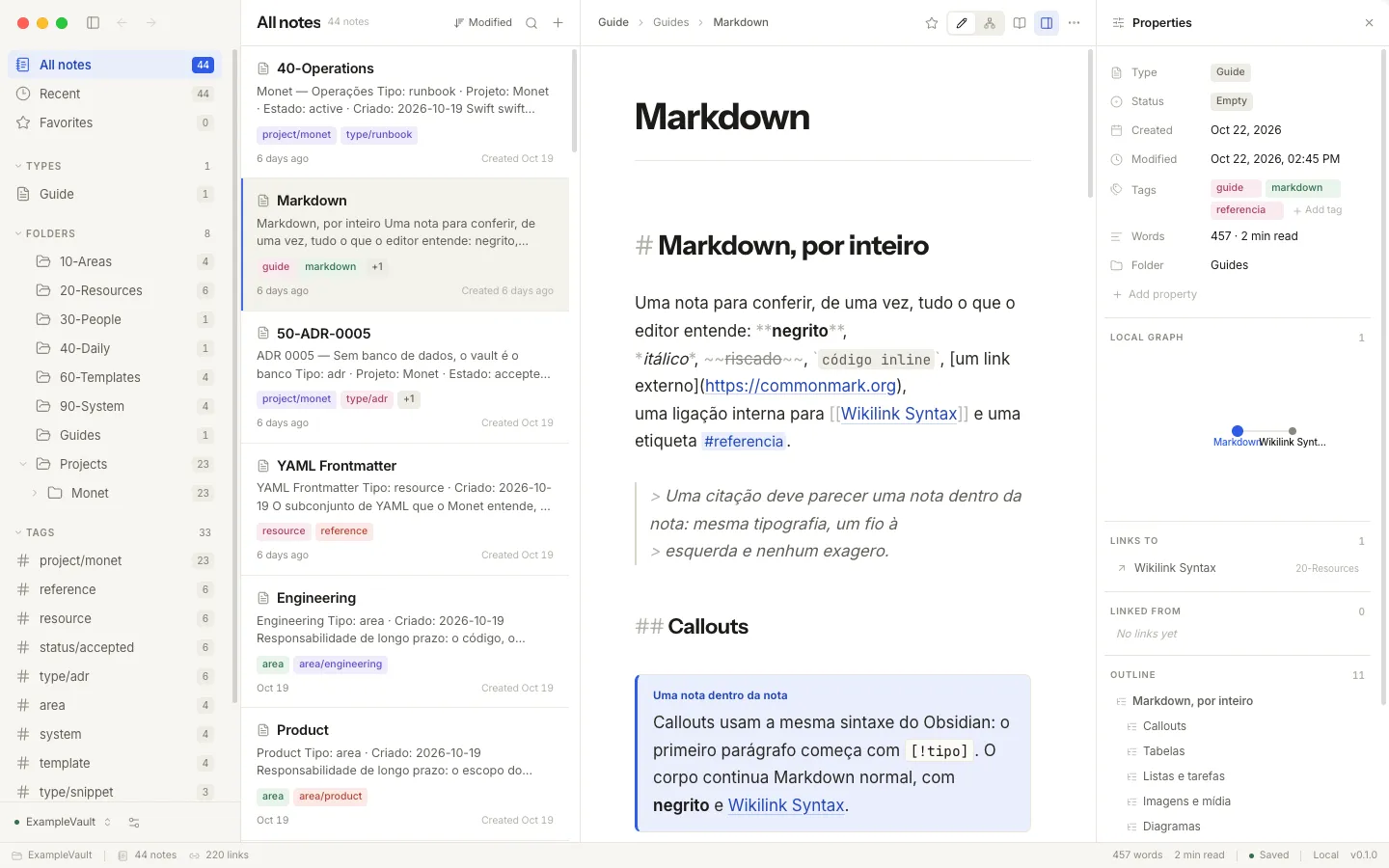
Live blocks
Tables, task lists, footnotes, Mermaid diagrams, KaTeX math, callouts and note embeds render in place while you write.
Reading view
⌘E renders the note as a typeset page with editorial typography.
Wikilink autocomplete
[[ triggers a list; ambiguous titles resolve the Obsidian way.
Clickable tasks
Check a box in the editor; the Markdown updates under the cursor.
02
Vault and structure
Plain Markdown
YAML frontmatter, [[wikilinks]], ![[embeds]], #tags and aliases — files you can open anywhere.
Backlinks and links
The index knows every connection, and every unresolved one.
Interactive graph
Deterministic force-directed layout with tag filtering, hover inspection, pan and zoom.
Search
Local and dependency-free: accent-folding, multi-word, fuzzy title fallback, excerpts around the hit.
03
CLI and MCP
Every command, five formats
toon (compact, for agents), json, yaml, md and jsonl — part of the public contract.
MCP server
monet --mcp exposes search, notes, links, graph and vault tools over stdio to any MCP client.
Vault selection
One shared configuration: the app and the CLI always agree on which folder is the vault.
Agent skills
Generated from the command declarations by Incur — monet skills add, nothing to maintain.
04
Safety
Confined writes
Nothing is written outside the vault; symlinks are checked before anything moves.
Atomic saves
Writes land via rename, so a crash never leaves a half-saved note.
Conflict detection
If an agent and the app edit the same note, revisions are detected before one overwrites the other.
Backups
monet backup snapshots the vault outside it, with retention you control.
05
Interface
Three languages
English, Brazilian Portuguese and Spanish across the app and the CLI.
Command palette
⌘K for commands, ⌘P for notes, daily notes in one keystroke.
Inspector
Properties, backlinks, outgoing links and the outline, always beside the note.
Cross-platform
Electron on macOS, Windows and Linux, with a native-feeling frameless window.
The difference, in one line
Monet does not ask you to leave your files, your folder or your offline afternoon. It adds the other reader your notes deserve: an agent, working on the same brain, under the same rules.
Download for macOS